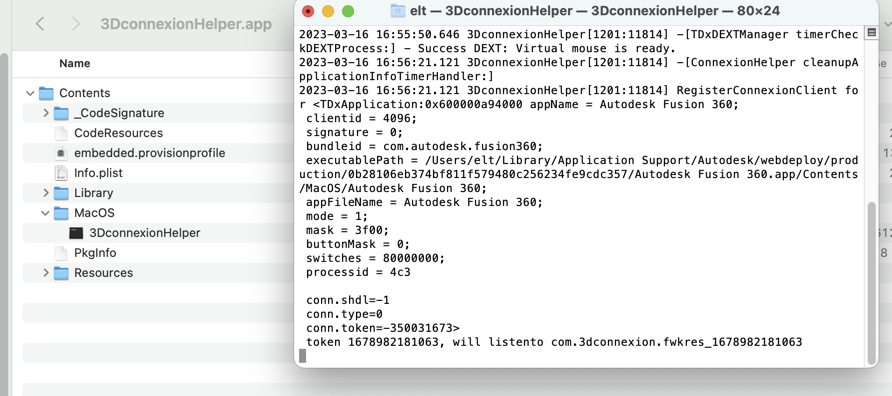
- Finder, Terminal
- 3D connexion.png (181.26 KiB) Viewed 9883 times
Same to me. No chance to install the driver with the right permission.
New Mac Mini with Os 13.2.1 Ventura
Space Mouse Compact. USB Cable.
3DX Ware Version 10.7.4
CAD: Fusion 360
What helped.
Uninstall 3DConnexion driver
reboot
unplug the Space Mouse
Install 3DConnexion driver
reboot
plug the Space Mouse
In the finder/application the 3DConnexion Helper.app is not installed
"Du kannst das Programm „3DconnexionHelper.app“ nicht öffnen, da dieses Programm auf diesem Mac nicht unterstützt wird."
The Application is not supported on this mac. (Sorry about the translation....)
Right mouse click on 3DConnexionHelper App
Paketinhalt zeigen (Show Bundle Contents"?)/Contents/MacOS/3DConnexionHelper=UNIX Datei open with Terminal
If i remember then you will ask for permission in security and ..
While this Terminal Window is open and the process running for me it is possible to work in the 3Dconnexion Home and Fusion 360 as normal.
@ 3D Connexion please fix that bug. Thank you

